Building a Personal AI Workflow: From Reading to Private Video
A field report on building a human-supervised AI workflow that turns starred inbox reading into natural narration, visual slides, and private video.
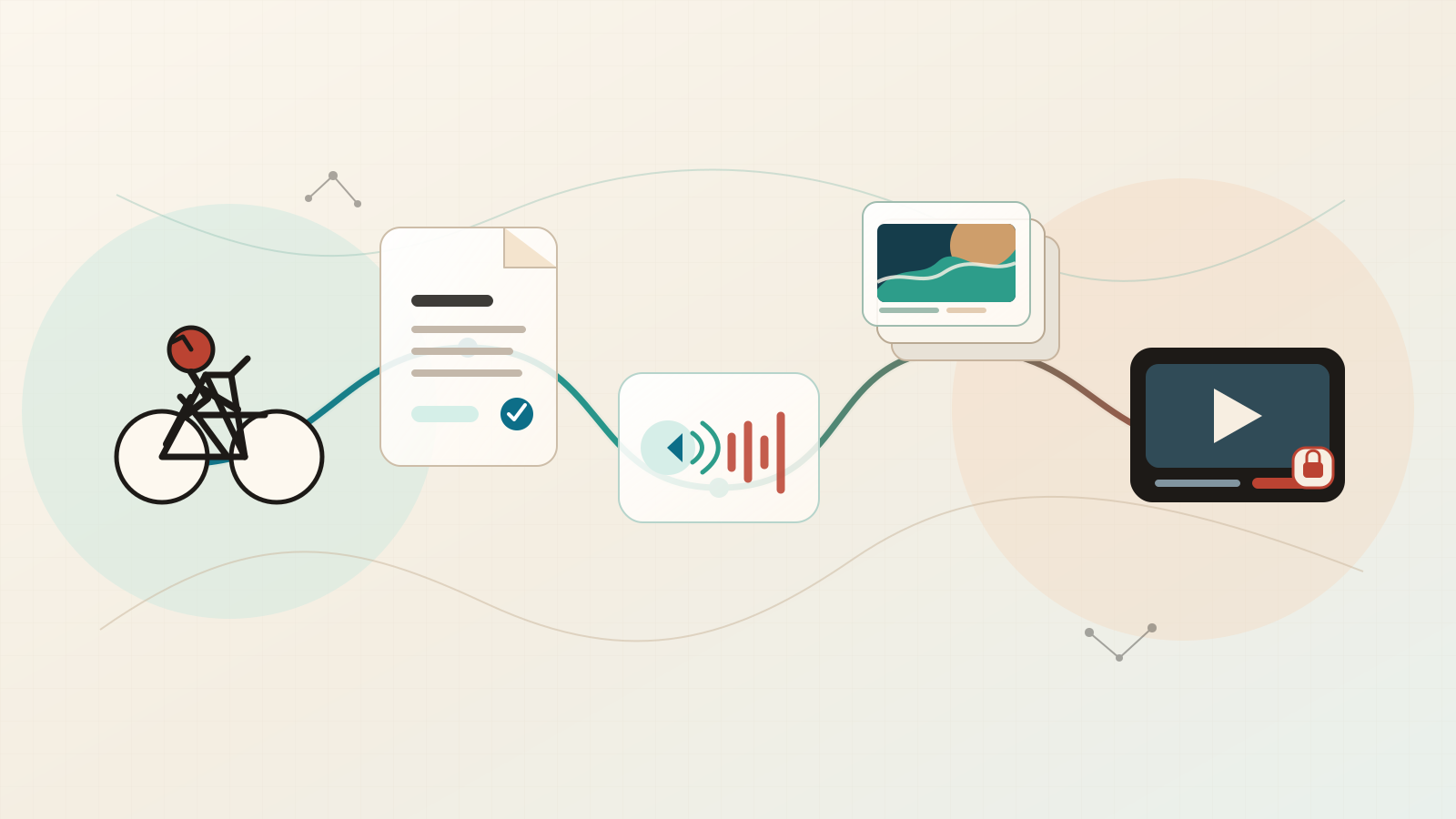
- Input
- Starred inbox item
- Voice
- Local AI narration
- Visual pivot
- SVG -> slides
- Control
- Human-supervised
I have a small problem that I suspect many people have too.
I save long pieces that I genuinely want to read. They are thoughtful, dense, and worth my attention. Then life happens. The tab stays open. The email stays starred. After a few days, the thing I wanted to understand becomes another item in a very respectable-looking graveyard of “read later” links.
One of these sources arrives through a long-form email subscription. When an issue looks worth reading, I star it in my inbox. That star has become a very small read-later queue.
My most reliable free time appears while cycling. Reading an essay during a ride is not practical. Listening works very well.
So I started wondering: can I build a personal AI workflow that turns selected long-form reading into something I can actually consume?
I designed a system that takes a saved piece of writing through cleanup, narration, visuals, and a private video. It gives me a version of the same material that fits naturally into a ride.
The answer is yes.
The real work started after the first video. Text cleanup, listening, visuals, pacing, and review are all different problems. Treating them as one big “AI video” button produced something technically impressive and occasionally unpleasant to watch.
The Small Problem
Listening asks for a different form of attention.
When I read a dense essay, I can slow down, look back at a sentence, scan a list, or pause on a number. Audio moves at its own pace. A sentence with five qualifications, four companies, and three dates may be perfectly readable on a page and completely disappear when heard once during a walk.
That is why the workflow begins with editorial preparation.
The listening version keeps the argument, structure, tone, and conclusion while making dense passages easier to hear. In practice, that means splitting some sentences, giving important comparisons a little more room, and making the logic easier to follow without adding new claims.
That distinction became the foundation of the whole system.
What I Built
At a high level, the workflow looks like this:
- Find the next starred email from the approved subscription sender.
- Clean the source manually with an agent, removing email chrome and other reading clutter.
- Create a listening version that preserves the original structure while improving spoken pacing.
- Write a slide script that assigns every part of the narration to a visual beat.
- Generate visuals, narration, and a private video.
- Review the result before it is uploaded or treated as complete.
This is human-supervised AI workflow automation.
The Gmail step is deliberately simple. The agent uses the Gmail connection to look for starred messages from that one sender and picks the next available item. A verified private upload closes the loop, and the source message can then leave the queue.
The system can prepare files, split narration, generate visual assets, compose clips, and validate technical details. Clear checkpoints remain available throughout the process, so I can ask a simple question at each stage: does this still make sense?
That sounds obvious. It is also the part that disappears when AI systems are described as magical black boxes.
The Economics Were Surprisingly Simple
I expected this project to turn into a pile of subscriptions. The final setup stayed surprisingly simple.
The recurring cost is essentially my $20 Codex subscription. The rest of the workflow uses local text-to-speech, Python, FFmpeg, and open tools already running on my machine. The visual-generation step is part of the same Codex working environment.
That means there is no paid per-video narration service, no cloud rendering bill, and no separate video-editing subscription. Once the system is set up, producing another private video has close to zero marginal cost.
This matters because cost changes how willing you are to experiment. A workflow that costs a few dollars every time you press run encourages hesitation. A personal tool that costs essentially nothing beyond the software you already use invites iteration.
The TTS Was the Surprise
The first obvious concern was the voice.
I expected local text-to-speech to sound robotic and cloud narration to be the quality option.
That assumption turned out to be outdated.
The local voice I tested passed the quality bar. It had natural pacing, understandable pronunciation, and enough warmth that I could listen to an entire essay without feeling like my laptop was reading a tax form to me.
That was a bigger moment than I expected.
The setup is simple. I run Kokoro locally inside a Python 3.12 virtual environment, using the af_heart English voice. The narration is produced as a 24 kHz PCM WAV master, with espeak-ng available for pronunciation support. FFmpeg handles the later encoding and muxing step.
I now synthesize audio one slide at a time rather than creating one giant file. Each slide receives its own WAV segment. The workflow trims leading and trailing silence, inserts a small intentional pause between slides, and then joins the segments during composition. That gives the narration a much calmer rhythm, especially during a long ride.
The result is completely local. Kokoro runs on my Mac, WAV files stay on disk, and the final video carries AAC audio derived from that local master. The quality was strong enough that I stopped thinking of this as a TTS demo and started treating it as a usable listening format.
Once the AI narration sounded acceptable, editorial adaptation became the bottleneck. The key question became: does this article still work when somebody hears it only once?
For dense writing, that is a real difference. A list of tickers, a complicated causal chain, or a paragraph that shifts between three different time horizons might need to become two or three spoken sentences. The facts and style should stay recognizable. The listener needs enough breathing room to keep up.
That is the article-to-audio problem I actually cared about.
From Animated SVG to Slides
My first visual approach was animated SVG.
From an engineering perspective, it was fun. I could build a moving system map, animate labels, create typing effects, vary timing, and render a unique visual world around an essay. The result felt more alive than a static background with an audio track on top.
The rendering pipeline produced technically valid video. A valid render only proves technical success.
The first issue was relevance. A generic animated dashboard can look sophisticated while saying almost nothing about the particular argument being narrated. Visual language that drifts away from the essay becomes expensive wallpaper.
The second issue was pacing. An animated SVG can be beautiful in the first thirty seconds and still feel repetitive after eight minutes. Small movements create motion; fresh visual information creates progression.
The third issue was reliability. SVG animation required browser rendering, careful timing, and a lot of frame-level validation. A small mismatch between the article and the visual template could create a perfectly valid video that was conceptually wrong.
That was the key lesson: a visual system needs to be easy to inspect and tightly aligned with the essay.
Why I Moved to Slides
So I moved from one long animated composition to a slide-based video.
Slides have a quieter kind of appeal than a carefully choreographed SVG system. They fit the actual job extremely well.
I personally spend far more time listening to these videos than watching them. I still want the final result to feel like a video. A single static image behind a long audio track feels abandoned. Multiple visual beats give the narration a sense of progress, make transitions easier to feel, and leave the whole piece with more energy.
The narrative is divided into small, contiguous visual beats. Every beat receives a slide prompt and a matching piece of narration. I use the ImageGen skill built into Codex to generate the visual material. The prompts are grouped into 3×3 contact sheets, then each accepted cell is cropped into an individual slide.
The compositor turns those stills into an article-to-video sequence with small movements: a slow push-in or pull-back, fades, cross-dissolves, and intentional pauses between audio segments. These motions stay restrained. Their job is to carry the viewer from one visual idea to the next while the narration does the main work.
That changed the workflow in a few important ways:
- Each visual has one clear job: support the specific part of the argument currently being heard.
- Long essays can switch visual modes across the entire runtime.
- Every slide can be inspected before rendering the final video.
- Narration can be generated per slide, which makes pacing and corrections much easier.
- The final composition is simpler, cheaper, and more predictable than a long frame-rendering pipeline.
The visual quality still needs work. Generated slides can become repetitive very quickly when every prompt asks for a glowing map, a dark terminal, or a serious person looking at a financial chart. Stronger visual direction solves that problem.
Maps should be maps. A supply chain should look physical. A household consequence should feel human. A process should look like a process. The slide script needs to reflect the argument and carry it forward.
That is why I now think of the agent as a producer as much as a coder.
The Browser Became the Upload Interface
Uploading to YouTube created a separate piece of friction.
The official YouTube Data API exists. For a personal workflow, it brings OAuth configuration, a Google Cloud project, client secrets, consent screens, token storage, refresh handling, and another connection system to maintain. I do not enjoy building that whole permission stack just to upload a video to an account that is already open in my browser.
The Chrome integration gave me a much more practical route. The agent works through my signed-in YouTube Studio session, selects the local MP4, applies the title and description, chooses private visibility, adds the video to the right playlist, and verifies the result in Studio.
This approach still has a clear boundary. The browser session belongs to me, and the final Studio state is visible before any source item is marked complete. It feels closer to how an agent should be allowed to work: use the software I already have open, perform a scoped action, and leave visible evidence of the result.
I would still love a simpler first-class permission from YouTube: let a signed-in user allow an agent to upload a local video, choose its visibility, and require a final confirmation. That would remove a lot of OAuth ceremony from a task that should be straightforward.
Automation Needs Checkpoints
The most important design decision was splitting the workflow into checkpoints.
One command that fetches content, cleans it, writes a script, generates audio, renders video, uploads it, and marks the job complete has a certain engineering appeal.
It also hides mistakes inside one opaque run.
The workflow keeps durable artifacts for each step: the cleaned article, the listening narrative, the slide script, the grouped images, the cropped slides, the audio clips, the final video, and the verification report.
I use AI governance here in a small, practical sense. The system should have evidence for what it did, and a human-in-the-loop AI workflow should know where it is allowed to stop.
The important gates are simple:
- Read the cleaned version before narration begins.
- Confirm that the listening narrative preserves the original argument before visual generation begins.
- Review slides before final rendering begins.
- Verify the private upload before changing the source state.
These gates create intentional review time and a much more trustworthy process.
This Is Personal Software
I designed this project as personal software.
There is a strange pressure in the AI world to turn every useful workflow into a startup, an agency, a SaaS product, or a public content machine. Personal tools deserve attention too.
I built this because I wanted to make better use of writing I already care about. The private video is just a more usable format for the same intellectual input. The workflow helps me listen during time when I cannot sit down and read carefully.
That is personal knowledge management in a very literal sense: using software to make your own attention a little more intentional.
The system may eventually become more polished. I may improve visual diversity, make the narration even more conversational, or find a better way to display complex numbers and relationships on screen.
It already earns its place by making a familiar habit more useful.
Final Thought
The useful part of agents is their ability to help us build small pieces of personal software around the things we already do.
I already save long-form writing. I already want to understand it. I already have moments where listening works better than reading.
Now I have a workflow that respects and supports those habits.
The project is still evolving. The TTS is better than I expected. The slide-based visual system is more practical for this kind of long-form material. And the biggest lesson is still the simplest one: automation earns its value when it serves a real personal behavior.